
How-to guide
6 steps to improve your AI search score
Your AI search score is how often assistants name you, cite you and recommend you when buyers ask.
This is the loop that moves it: build your agent, publish, measure, fix, improve, publish again.
Step 1 of 6Meet your AI agent
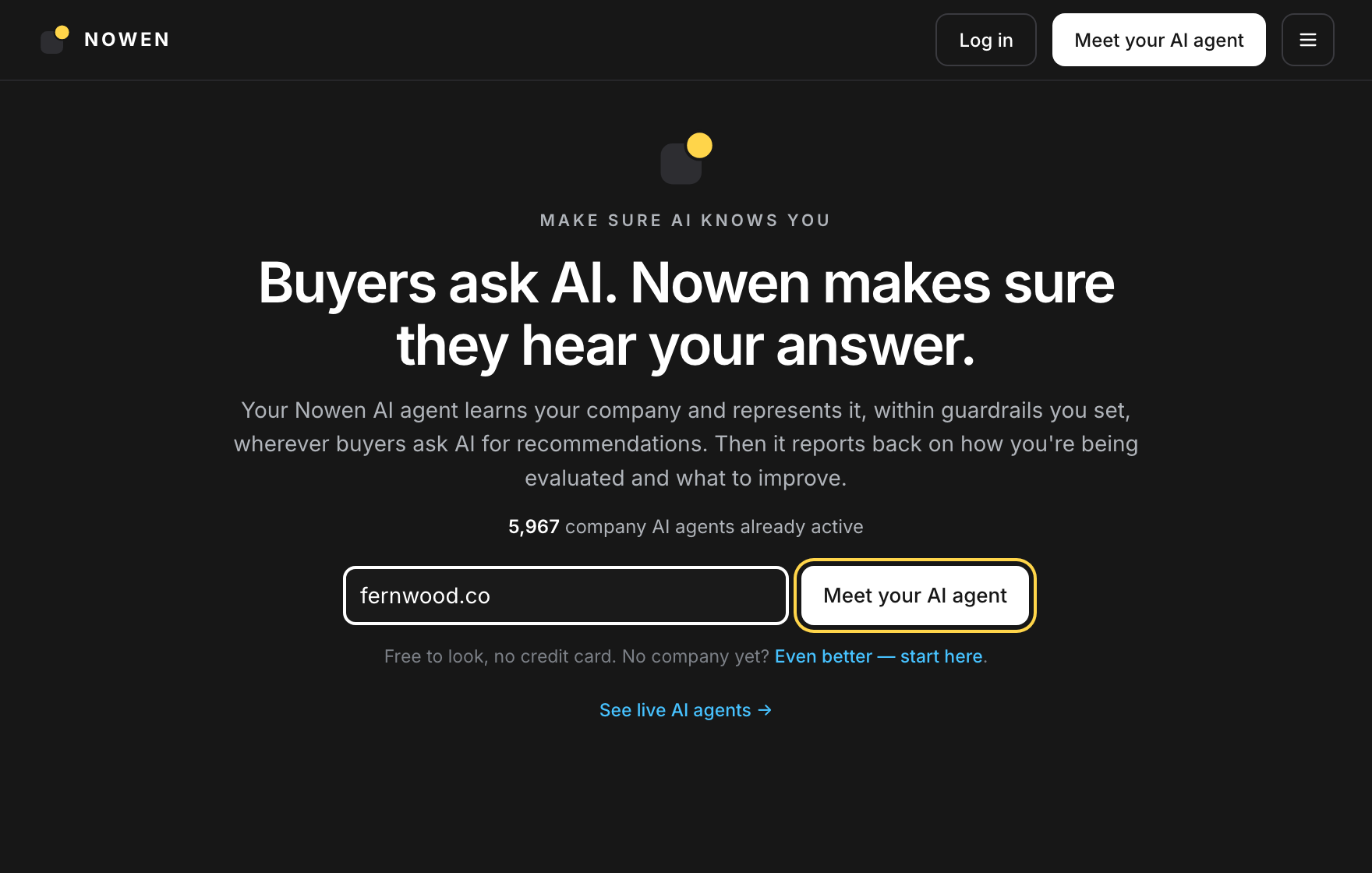
Go to nowen.ai, type your company's website and click Meet your AI agent. That is the only input your agent needs. It reads your public pages instead of asking you to fill in a form.
- Use the domain buyers know you by, not a campaign landing page.
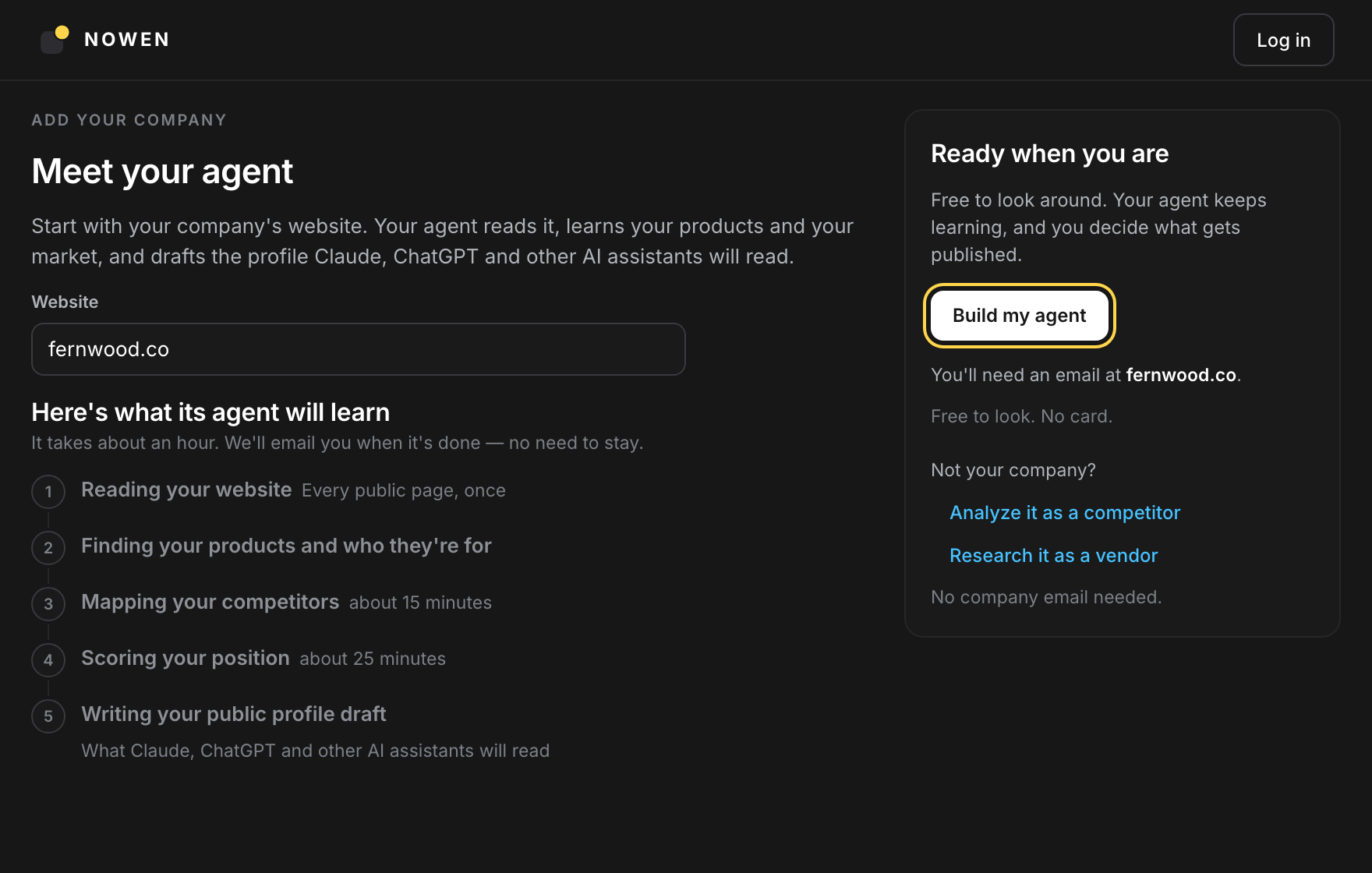
- The next page lists what the agent will learn, phase by phase. Click Build my agent.
- Free to look, no credit card.
Where: nowen.ai → Meet your AI agent → Build my agent
 Step 2 of 6
Sign up and let it build
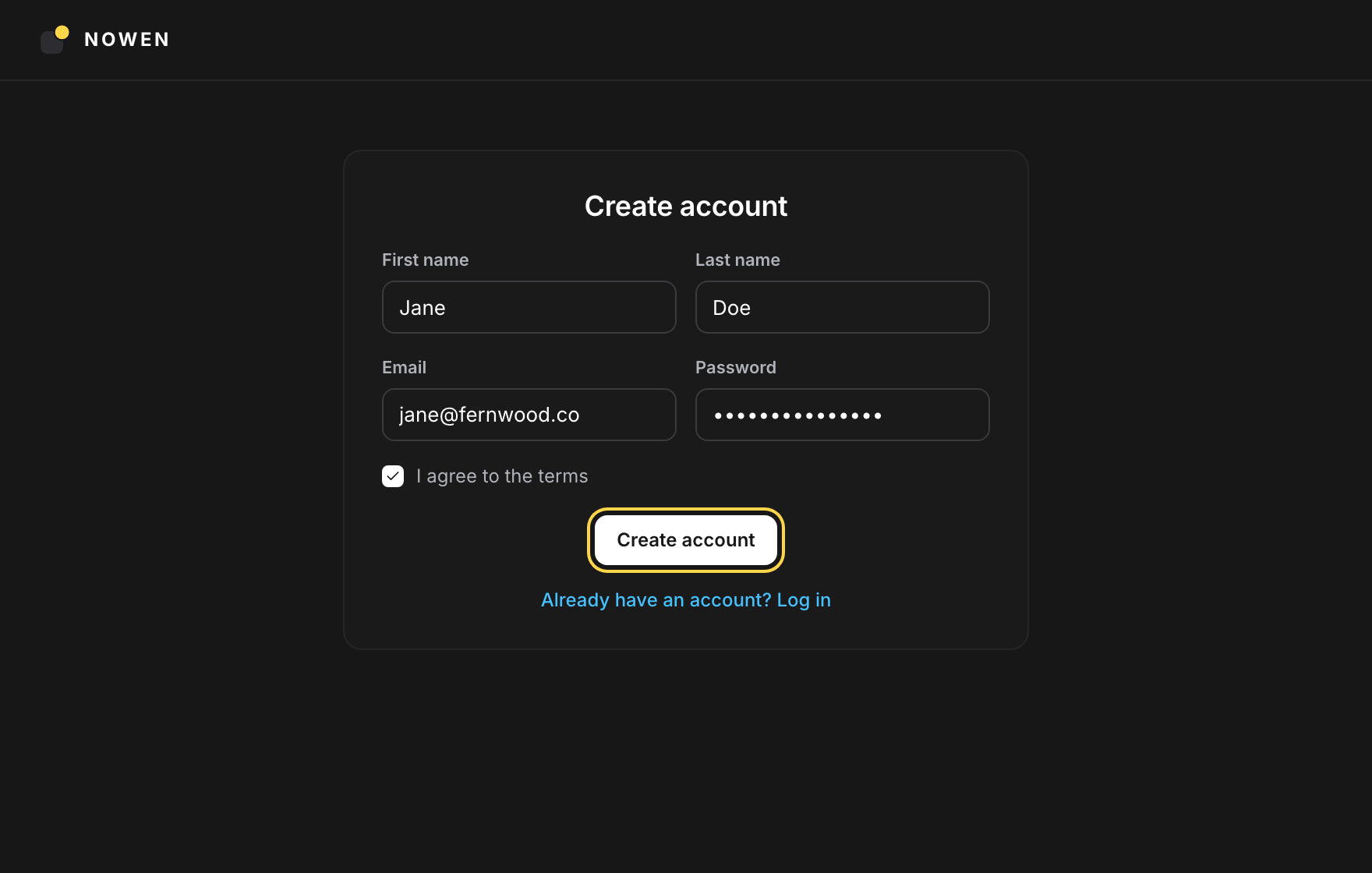
Create your account with an email at your company's domain. A matching address verifies that the domain is yours, so there is no code to paste and no DNS record to add. The build starts as soon as the account exists.
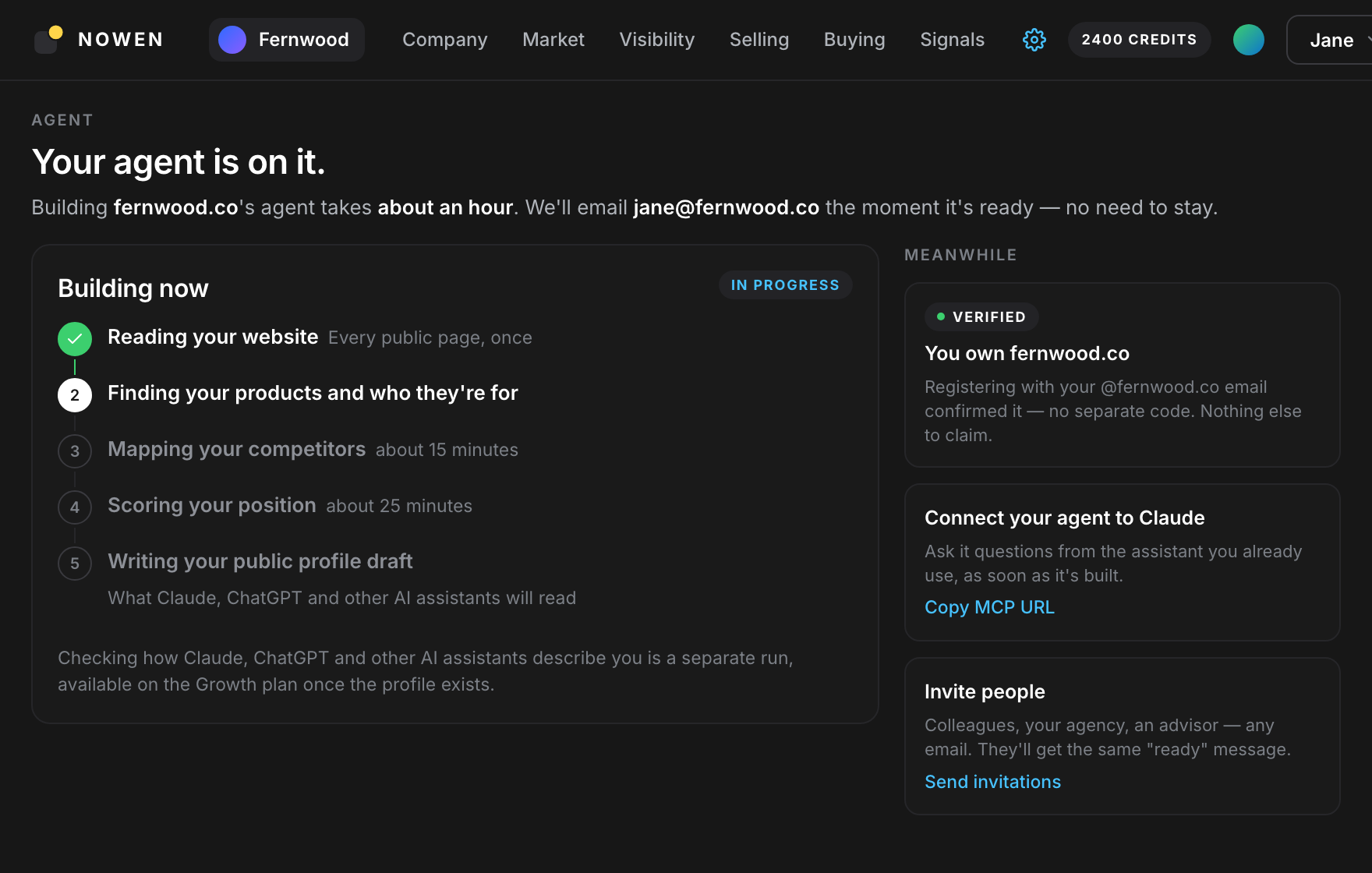
- The build takes about an hour and runs in five phases, from reading your website to writing the profile draft.
- You get an email when it is ready. There is no need to keep the tab open.
- Meanwhile, connect the agent to Claude or invite colleagues.
Where: Create account → Your agent is on it
 Step 3 of 6
Publish your profile
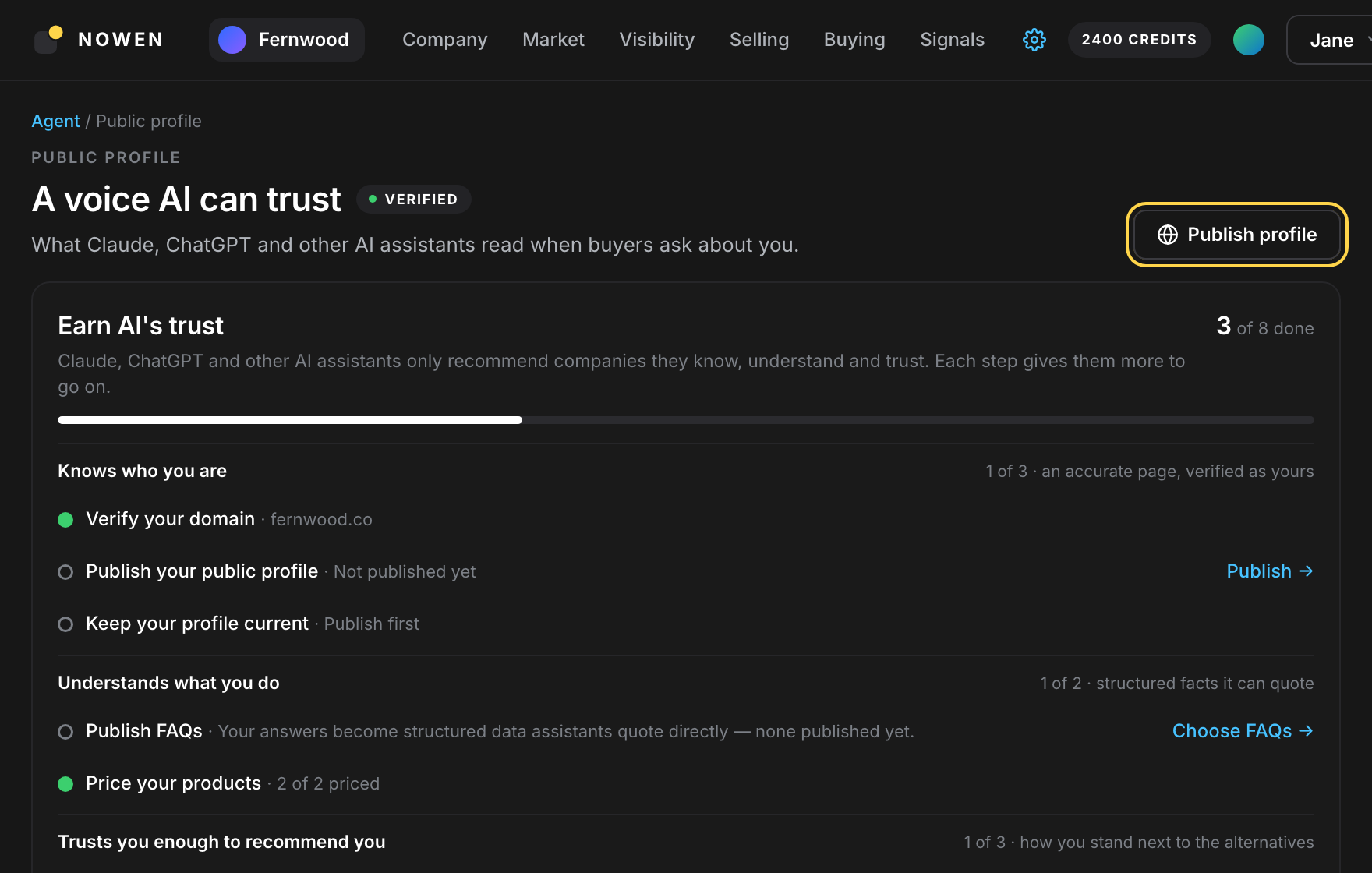
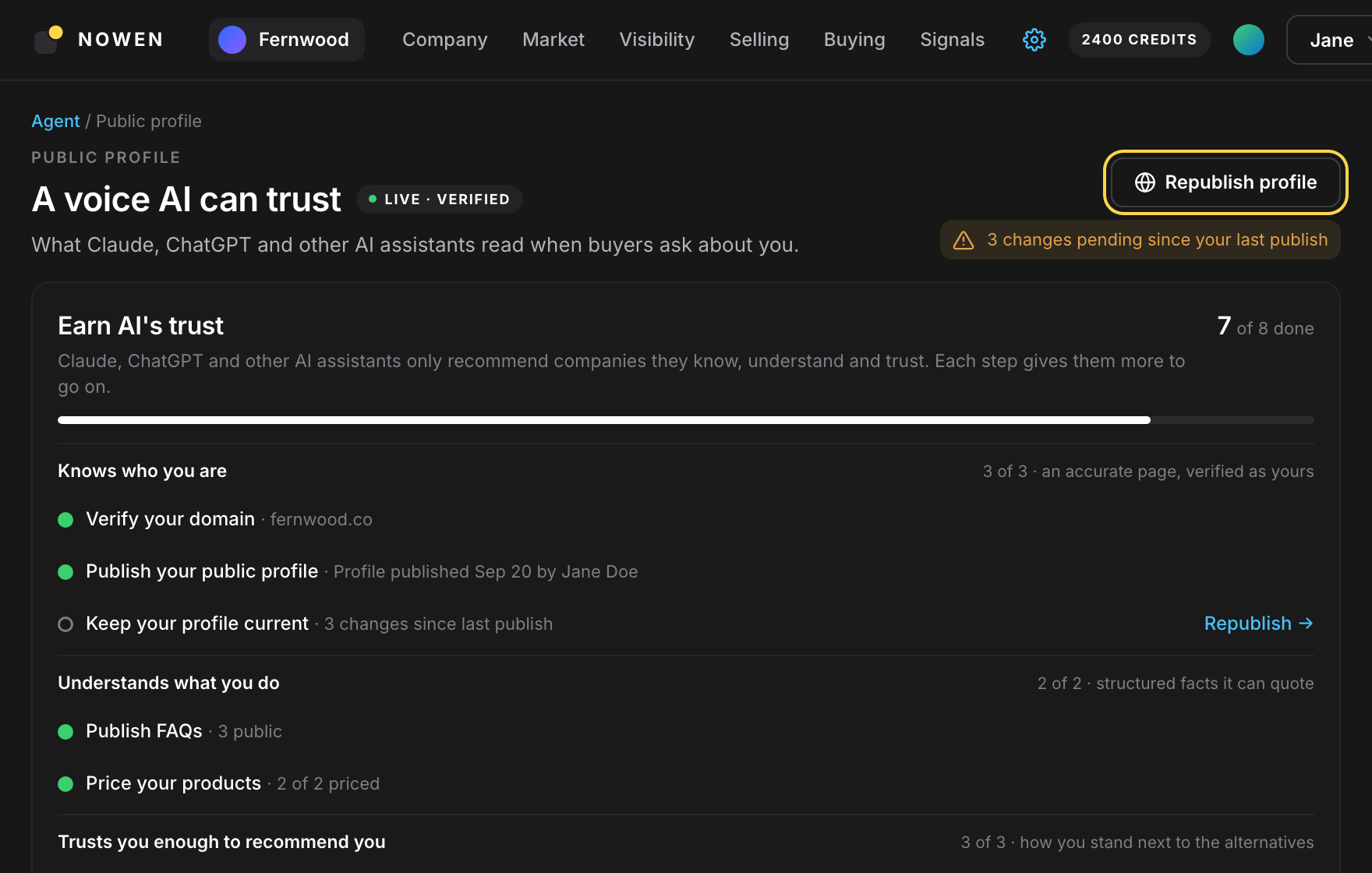
When the build finishes, open Public profile, review the draft and click Publish profile. This page is what Claude, ChatGPT and other AI assistants read when a buyer asks about you. Nothing is public until you publish it.
- Check the company summary, offering, audiences and market segments before you publish.
- The Earn AI’s trust checklist shows what assistants still lack: FAQs, pricing, a comparison.
- You can republish at any time. Edits stay private until you do.
Where: Agent → Public profile → Publish profile
 Step 4 of 6
Run a visibility analysis
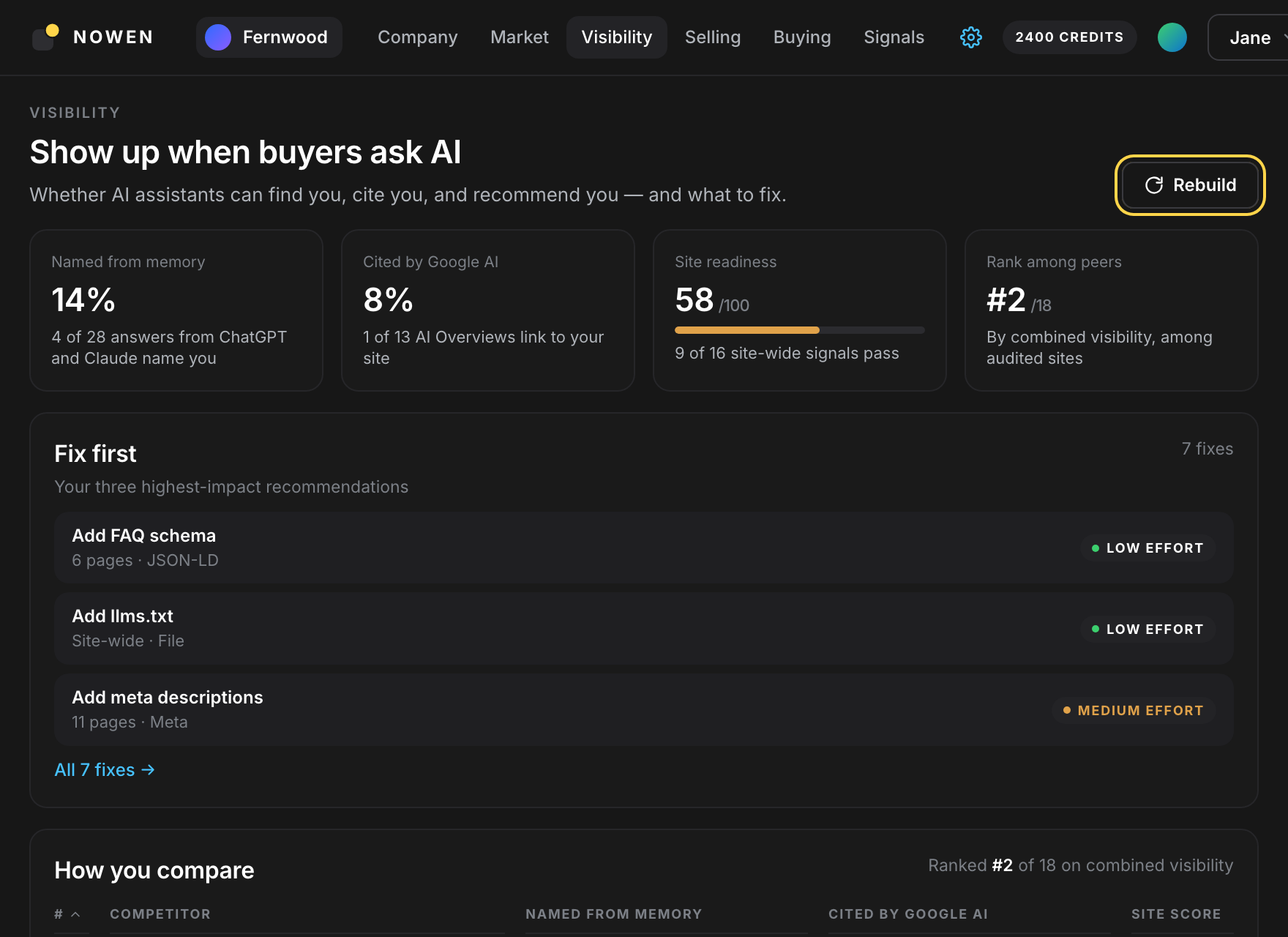
Open Visibility and click Rebuild. Your agent asks the assistants buyers use about your category, checks whether Google AI Overviews cite you, and audits your site for the signals answer engines rely on.
- Named from memory: buyer questions where ChatGPT and Claude name you unprompted.
- Cited by Google AI: AI Overviews that link to your site.
- Site readiness: a score out of 100 across structured data, meta tags and crawler access.
- Rank among peers: where you stand among audited competitors.
Where: Visibility → Rebuild (Growth plan)
 Step 5 of 6
Fix what it found on your site
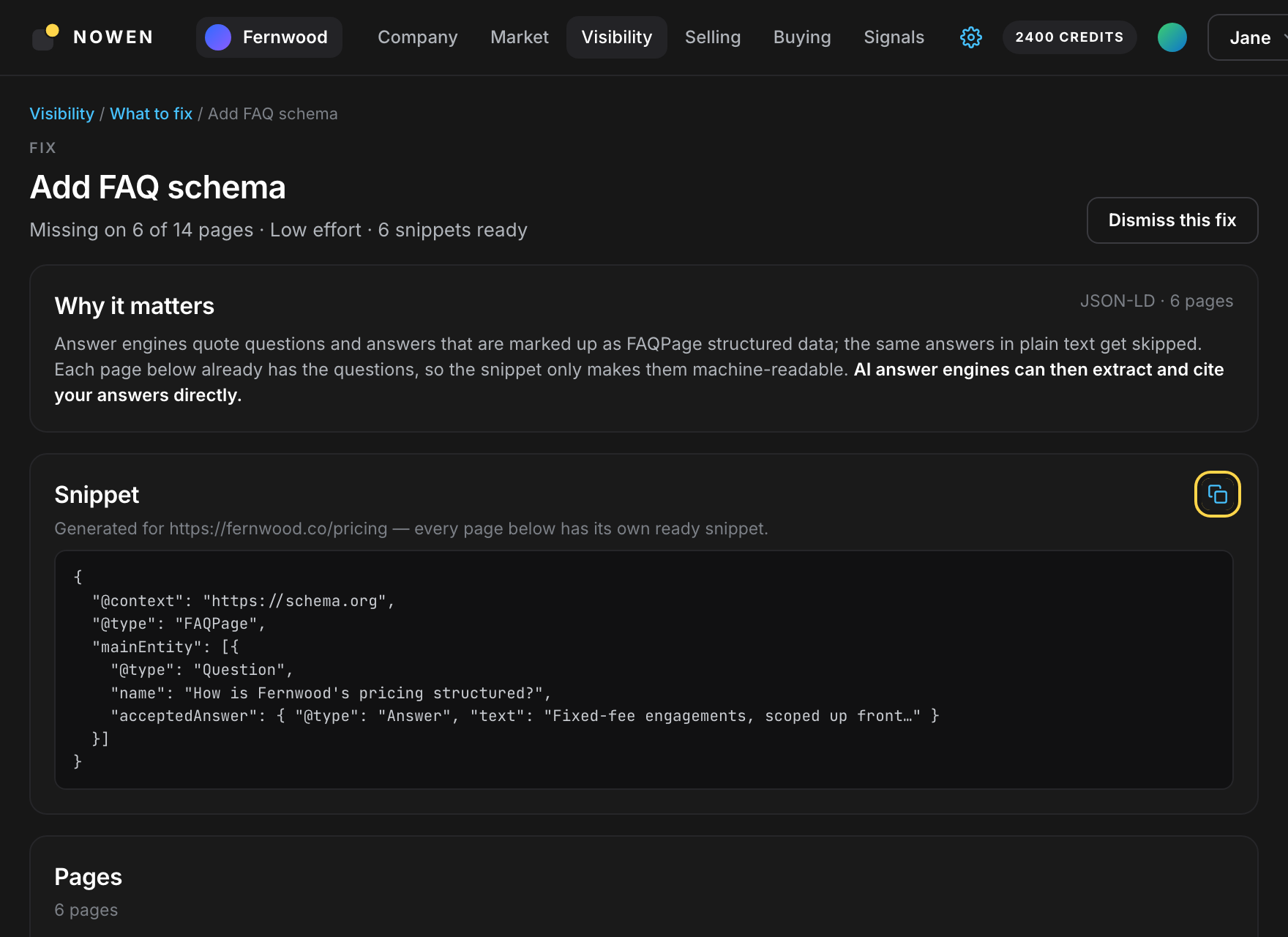
Fix first ranks the three recommendations with the biggest impact. Open one to see why it matters, which pages fail it, and a snippet generated for each page that you can paste as is.
- Site-wide fixes such as llms.txt, robots.txt and AI crawler access are one change each.
- Page fixes such as FAQ schema and meta descriptions come with a ready snippet per page.
- Dismiss what does not apply, ship the rest, then run Rebuild again to see the score move.
Where: Visibility → Fix first → open a fix
 Step 6 of 6
Improve your profile and publish again
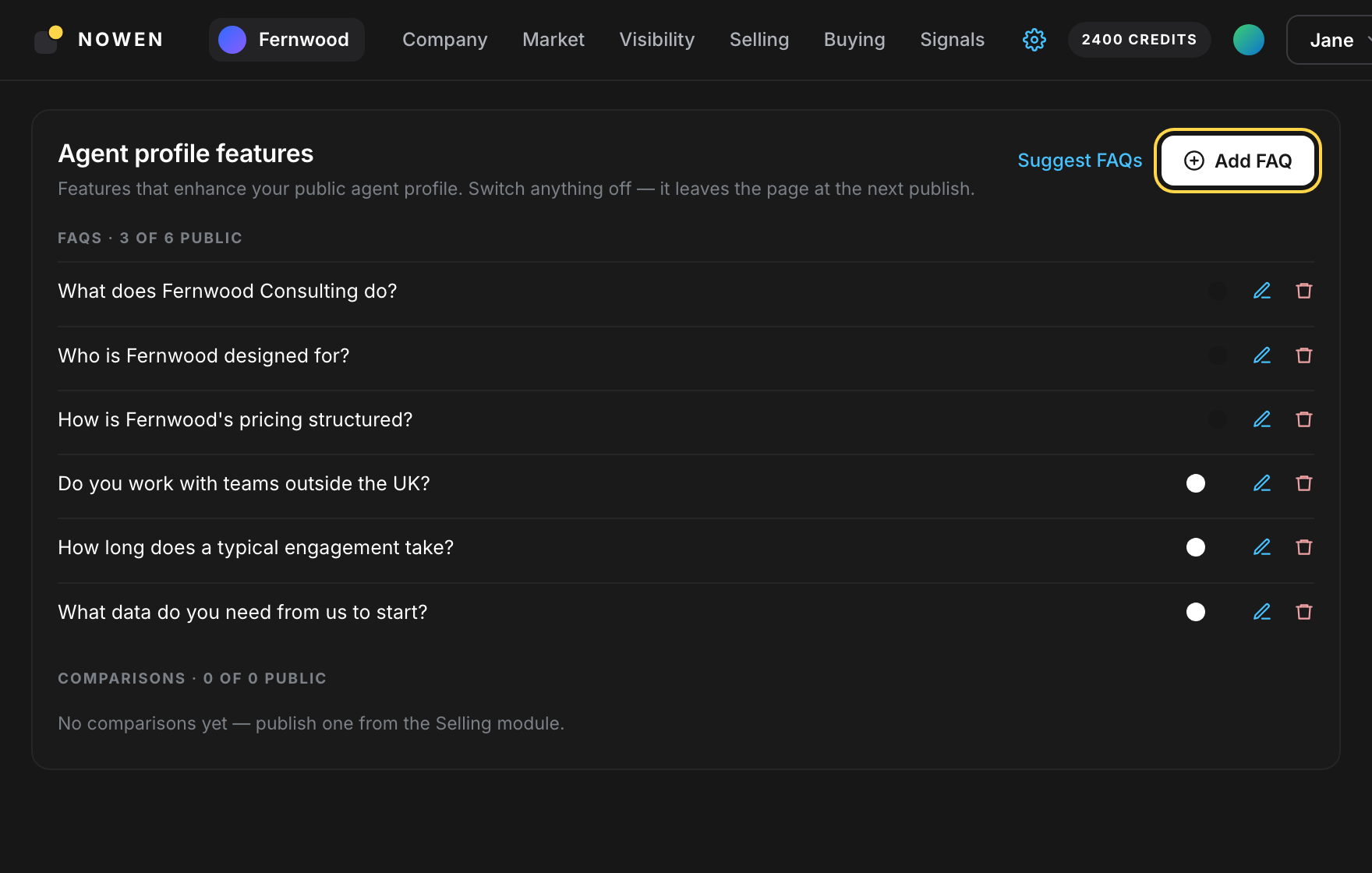
Give assistants more to quote. FAQs become structured data they cite directly, and a published comparison shows how you stand next to the alternatives. Then republish so the live page catches up.
- Suggest FAQs drafts questions and answers from your site. Switch on the ones you want public, or add your own.
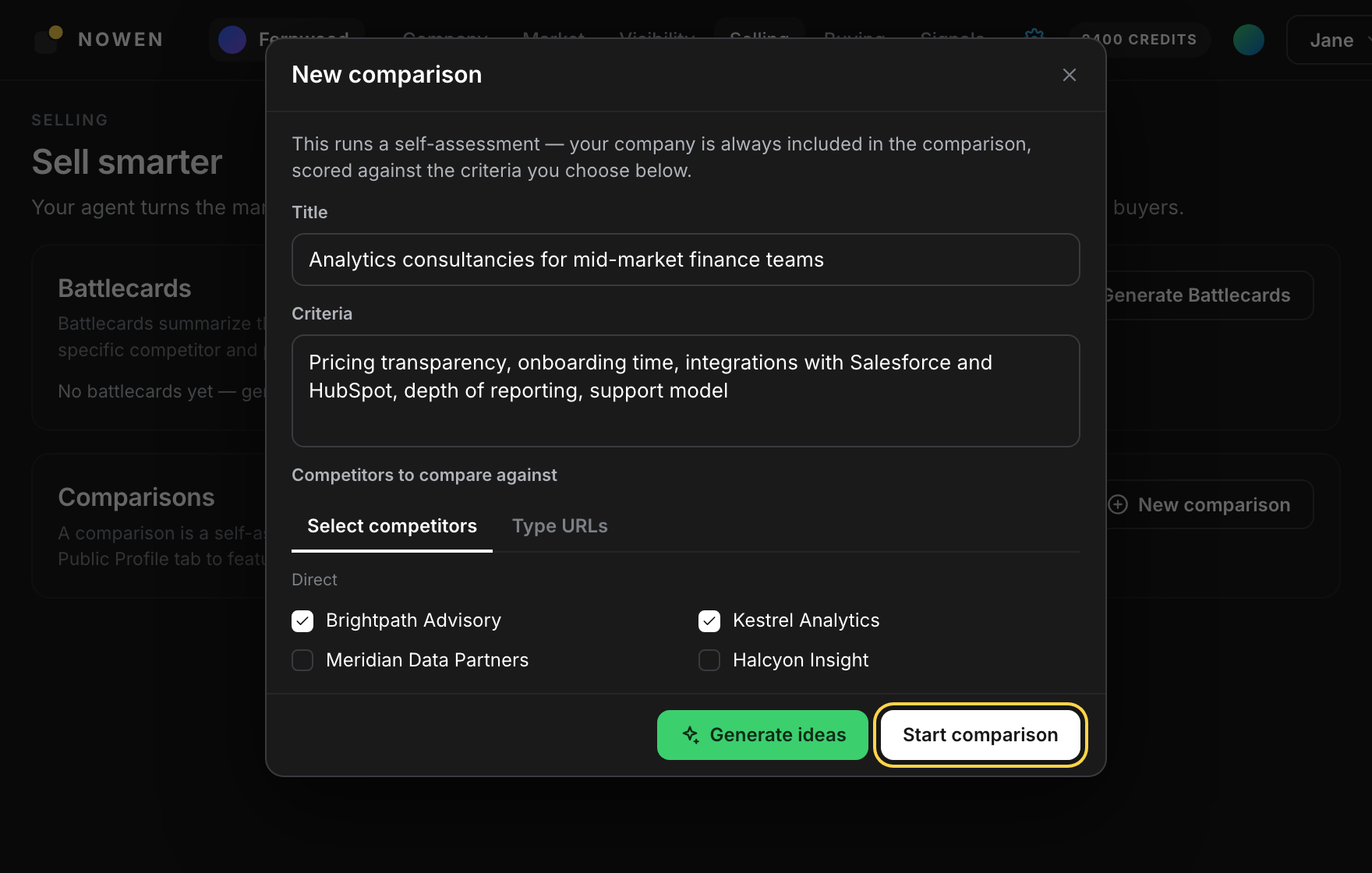
- New comparison in Selling scores you against competitors you pick. Switch it on under Agent profile features to include it.
- When the profile shows changes pending, click Republish profile. Then repeat steps 4 to 6 as your site changes.
Where: Public profile → Agent profile features · Selling → New comparison → Republish profile
Questions people ask
What is an AI search score?
Not a single number. It is how often AI assistants name you, cite you and recommend you when buyers ask. Nowen tracks it as four figures: how often ChatGPT and Claude name you from memory, how often Google AI Overviews cite your site, a site readiness score out of 100, and your rank among audited competitors.
Do I need to change my website?
Not to build or publish your AI agent: it reads the public pages you already have. Improving site readiness does mean changes to your site, but each fix comes with a snippet generated for the pages it applies to, so it is a paste rather than a rewrite.
How long does the loop take?
Building the agent takes about an hour, unattended. Publishing is instant. A visibility analysis is a separate run you start from the Visibility module. How long the fixes take depends on your site and who maintains it.
Which plan do I need?
Building and publishing your AI agent is free. The visibility analysis and the fixes it recommends are on the Growth plan; comparisons for your public profile are on the Business plan. See pricing for the details.
How often should I rerun the analysis?
After you ship a batch of fixes or change important pages. Each rebuild is compared with the previous one, so you can see whether your rank and citation rate moved.
Start the loop.
Type your website. Your agent reads it, and you decide what gets published. Free to look, no credit card.