
How vendor-research rankings actually work
Every ranking your agent produces is a weighted scorecard, not a black box.
Here's exactly how scoring, re-ranking, head-to-head comparison, refreshing, and correcting a result all work.
Weighted scorecards you controlEvery vendor is scored on the same rubric. You decide what matters most.
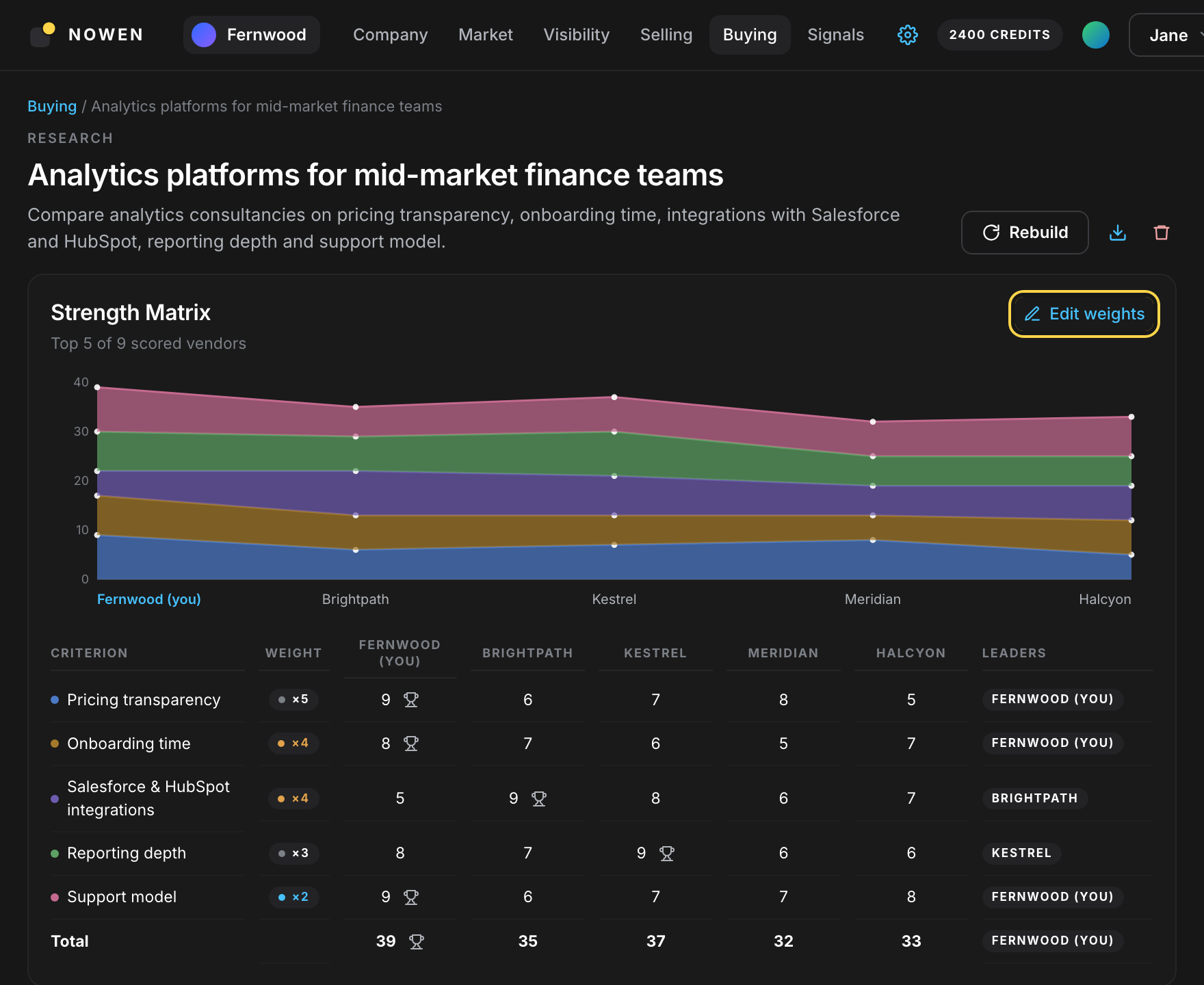
Every vendor is scored, criterion by criterion, against the same rubric — pricing, integrations, support, whatever matters for this purchase — and those per-criterion scores combine into one comparable overall score. That's a weighted scorecard, not a gut call.
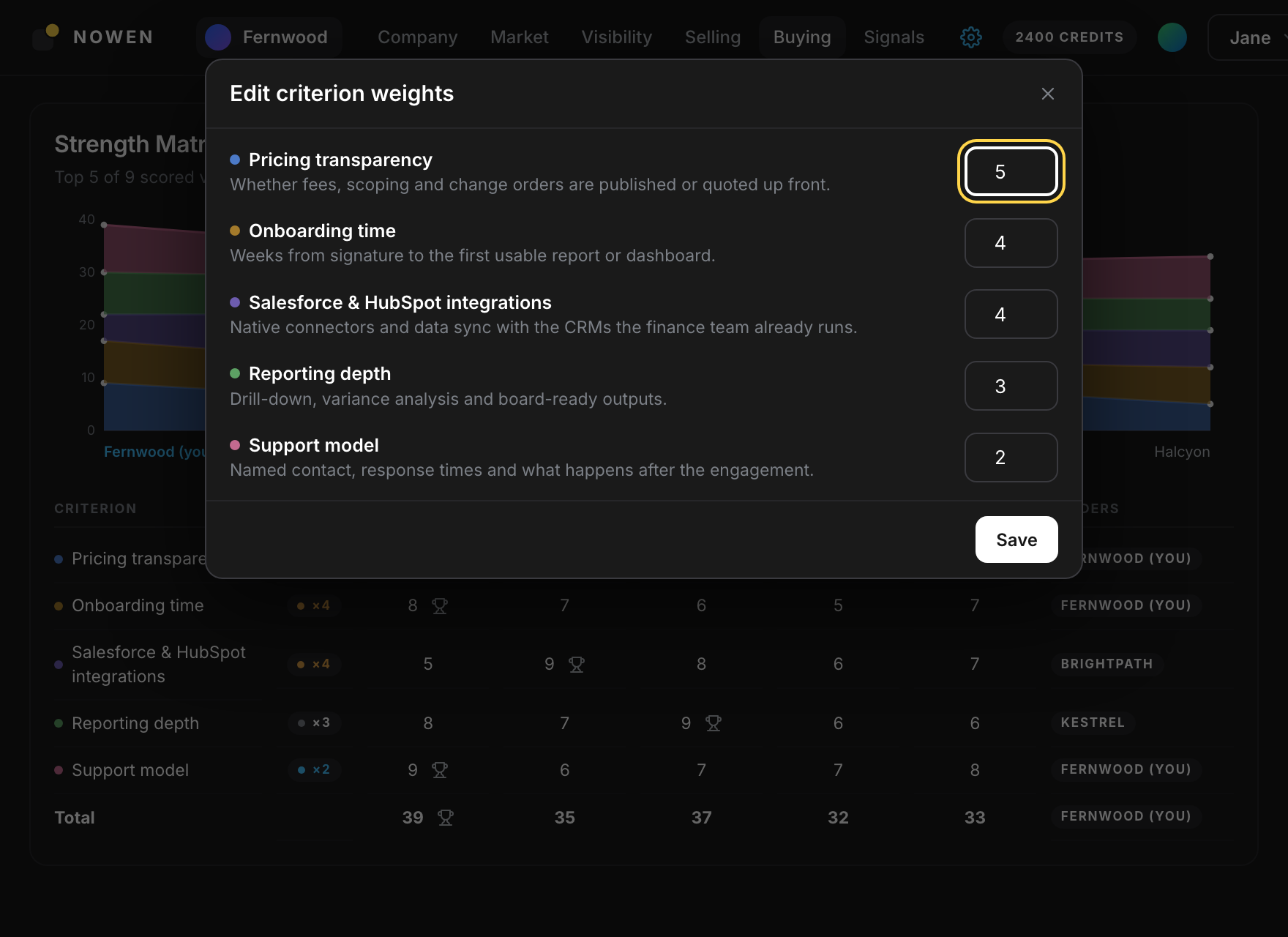
You set how much each criterion matters, from 1 to 5. Change a weight and every vendor's score recomputes and the ranking re-orders immediately — no new research run, no waiting on a fresh crawl.
A rubric, not a gut call
Every vendor scored against the same criteria.
Weights you set
Decide how much each criterion matters to your business.
Instant re-ranking
Change a weight and watch the field re-order.
No new run required
Reweighing recomputes existing scores — it doesn't re-research anything.
 Head-to-head against named competitors
See exactly where you're ahead, and where you're behind.
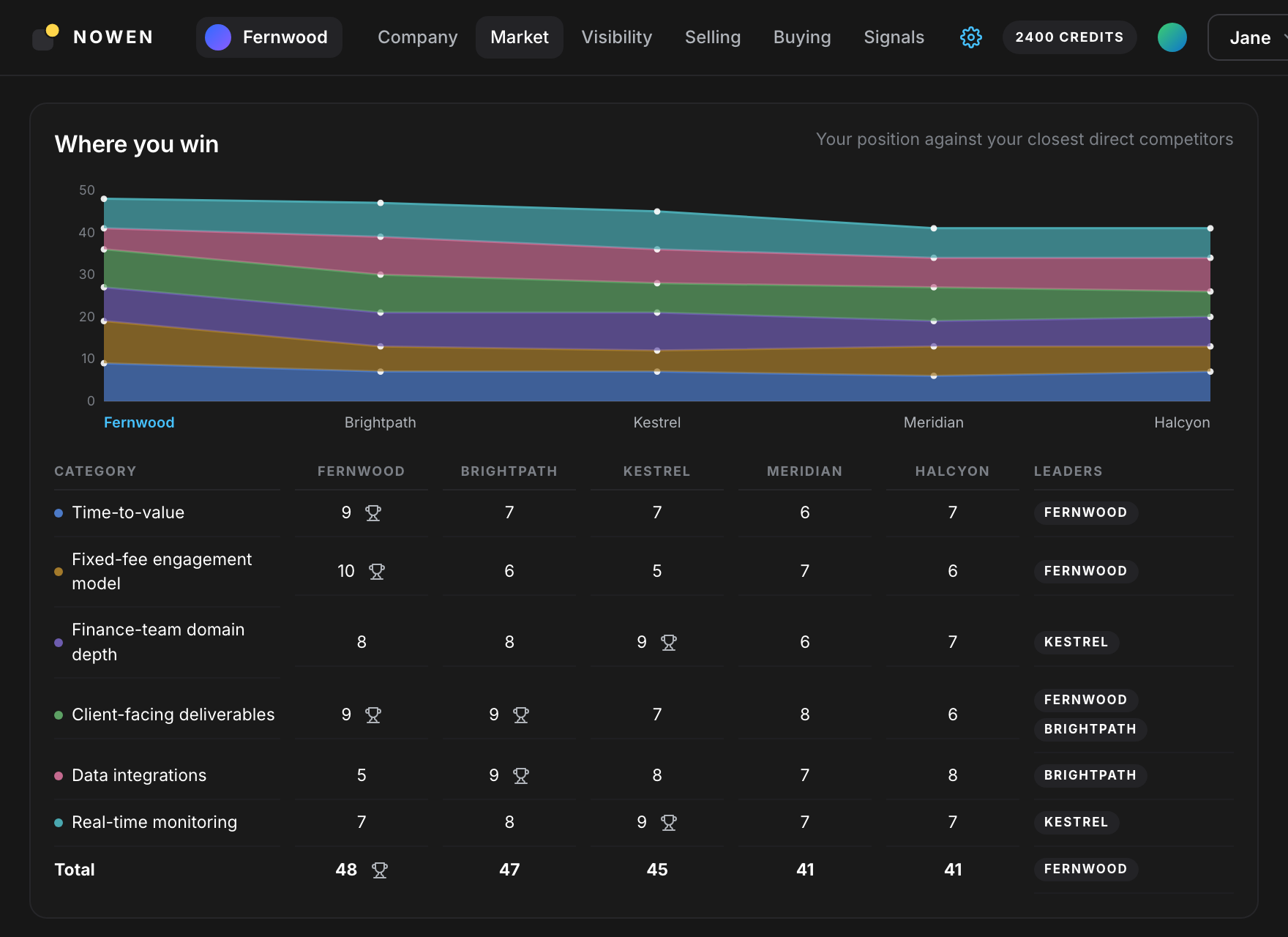
Beyond ranking a field of vendors, you can see your own company scored directly against specific named competitors, criterion by criterion, side by side — a strength matrix. It shows where you're ahead, where you're behind, and by how much on each criterion, not just an overall score.
It's the same comparison whether you're sizing up vendors to buy from or checking how you stack up against competitors surfaced for your own company — one mechanism, two jobs.
Named, not generic
Compared against the specific competitors you care about.
Criterion by criterion
See exactly where the gap is, not just a single number.
One mechanism, two jobs
The same head-to-head view works for vendors you're evaluating and competitors you're up against.
Available on Business plans and above — see pricing.
Refresh on demandRankings aren't static, and they aren't on a timer either.
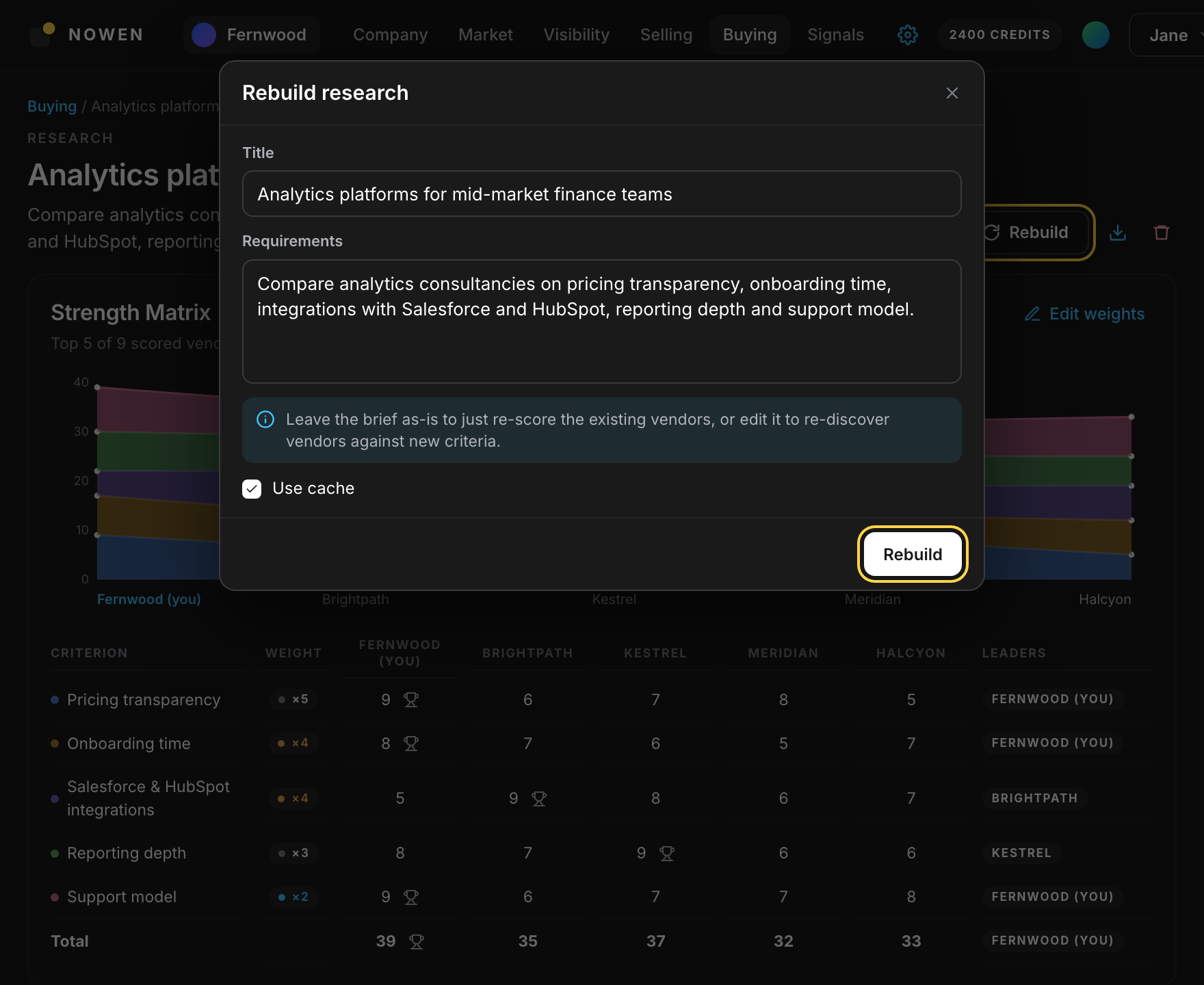
You decide when to refresh — pull fresh data on a single vendor, or rebuild an entire evaluation from scratch — and your agent re-crawls the sources and re-scores on the spot. Nothing re-evaluates itself in the background without you asking.
One vendor or the whole field
Refresh a single vendor's data, or rebuild the entire evaluation.
Fresh sources, re-scored
A refresh re-crawls and re-scores, not just re-renders old numbers.
You decide when
No background re-evaluation running without you asking for it.
 Correct it, and revert if you change your mind
Your agent's work is checkable, and correctable.
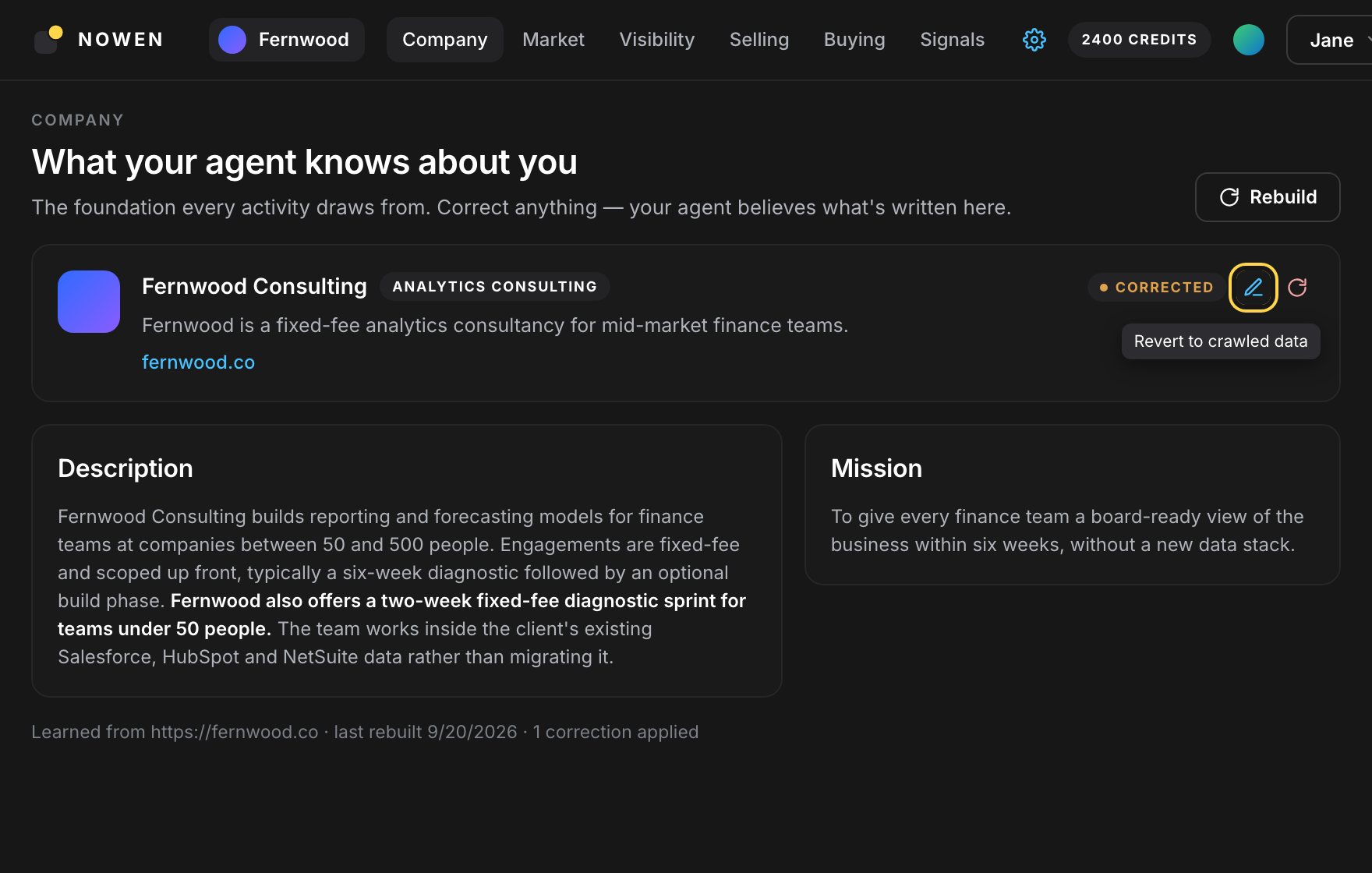
If your agent gets a fact about a vendor wrong, you can correct it. The correction is applied and timestamped, and if you change your mind, you can revert to what was originally found — your correction never permanently overwrites the source data.
Fix what's wrong
Correct a fact your agent got wrong about a vendor.
Timestamped
Every correction records when it was made.
Always reversible
Revert to the original source data whenever you want.
 Track how you're seen over time
A ranking is a snapshot. Your visibility is a trend.
Separately from any one ranking, your agent tracks how often your own company is cited by AI as a vendor versus as a competitor, month over month. That's a different job from scoring a purchase — see the full picture on what your agent does.
Questions people ask
Can I change how much a criterion matters?
Yes. Set the weight on any criterion, from 1 to 5, and every vendor’s score recomputes and the ranking re-orders immediately — no new research run.
Does a ranking update automatically over time?
No — refreshing a vendor or rebuilding an evaluation is something you ask for, not something that happens on a timer in the background. You decide when it’s worth re-checking.
Can I see my company compared directly against one named competitor?
Yes, criterion by criterion, side by side — a strength matrix. It’s the same comparison whether you’re sizing up vendors to buy from or checking how you stack up against competitors surfaced for your own company. Available on Business plans and above.
What happens if the AI gets a fact about a vendor wrong?
Correct it. The correction is applied and timestamped, and you can revert to what was originally found if you change your mind — your correction never permanently overwrites the source data.
Is this the same as AI-visibility tracking?
No. This page is about how a ranking or comparison is scored. Tracking how often your own company is cited by AI as a vendor versus a competitor, over time, is a separate feature — see what your agent does.
See it on a real purchase.
Tell your agent what you're looking for and watch the scorecard build itself.